
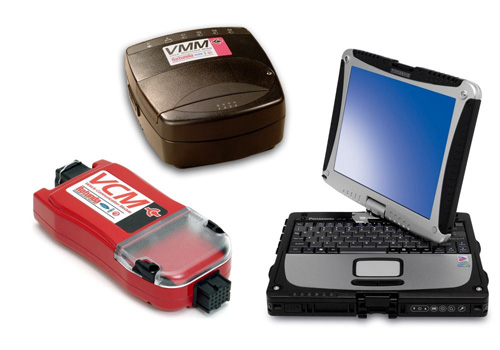
Ford has published the following instructions for technicians experiencing issues with the IDS scan tool, says the National Automotive Service Task Force (NASTF).
Ford Integrated Diagnostic System (IDS):
According to Ford Motor Company, its Integrated Diagnostic System (IDS) provides complete diagnostic coverage of current and future Ford, Lincoln and Mercury vehicles in North America. The IDS package replaced the Worldwide Diagnostic System (WDS) in about 2006. The IDS application will perform the identical functions of the WDS and allows technicians to diagnose and service Ford, Lincoln, Mercury vehicles.
IDS is enhanced WDS software that was modified to run on a standard laptop platform, and utilizes the VCM and VMM.
IDS Scan tool Programming Errors
Issue: Technicians using the Integrated Diagnostic System (IDS) scan tool may see error messages during module programming, including “data corrupt” and “unable to download vin.ab.”
If this occurs during a module replacement: Before programming, confirm the following:
1. The original module is still installed in the vehicle.
2. A new IDS scan tool session has been started.
3. Programmable Module Installation (PMI) is the routine being run.
Running PMI with the original module in place allows IDS to pull the as-built data from the original module and transfer it to the replacement module, which helps prevent this error from occurring.
If the original module is unavailable, non-communicative, or you are running a programming routine other than PMI:
1. Manually download the as-built file through MotorCraftService.com > Site Features (bottom of page) > Module Build Data (As-Built), following the on-screen instructions.
2. Once downloaded, retry the programming routine in IDS.
3. If IDS then prompts for an internet connection, select the Not Connected option.
4. If IDS shows a prompt stating “The required calibration file was not found on diagnostic tester. Do you wish to look on the network?” Select the Green Checkmark
0 Comments